“Pretty Doesn’t Sell”: Why Your Etsy Clipart Isn’t Converting (And How Better Images Fix It)
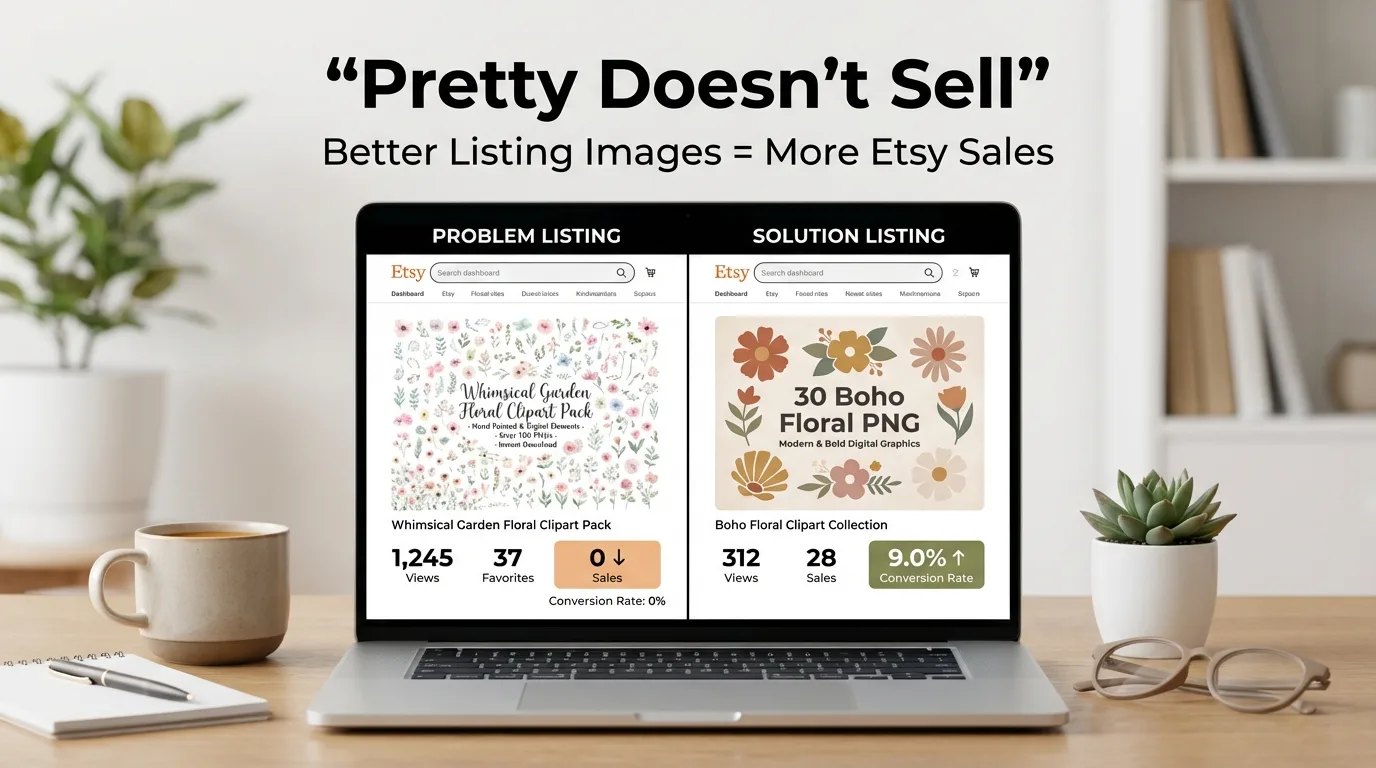
You’re getting traffic.
Your views look healthy.
Favorites trickle in.
But sales? Nothing.
If you’re selling clipart on Etsy, this is one of the most frustrating places to be. And here’s the uncomfortable truth:
Pretty doesn’t sell. Clarity sells.
According to the Etsy Seller Handbook, listing photos are one of the biggest factors influencing buyer decisions. That means if your clipart isn’t converting, your images are likely the bottleneck—not your art.
Let’s break down what’s going wrong, how to fix it, and how to streamline the entire process using a faster image workflow.
The Real Pain: Traffic Without Sales
When listings get views but don’t convert, it usually comes down to:
- Weak thumbnails
- Inconsistent preview slides
- Cluttered covers
- No clear use-case examples
Shoppers don’t read deeply. They scan. Research from the Nielsen Norman Group confirms that online users primarily skim content, especially in visual-first environments.
If your images aren’t instantly clear, buyers move on.
Bad Thumbnails: The Silent Conversion Killer
Your thumbnail is your ad.
In Etsy search results, your design shrinks dramatically. If your headline disappears or your graphics turn into noise, you lose the click.
Common Thumbnail Mistakes
- Cramming all elements into one image
- Thin script fonts that vanish on mobile
- No clear focal point
- White backgrounds blending into Etsy’s UI
- Too many competing colors
What a High-Converting Thumbnail Does
- Features 5–8 hero elements (not all 60)
- Uses bold, readable typography
- Highlights quantity (“50 PNGs”)
- States key benefit (“Commercial Use Included”)

Inconsistent Previews = Low Trust
If slide 1 is beige, slide 2 is bright white, slide 3 is rustic wood, and slide 4 looks like Pinterest exploded—you’re signaling chaos.
Brand consistency builds trust. According to research from Lucidpress, consistent presentation significantly impacts perceived professionalism and revenue growth.
Your listing should feel like one product, not six different designers collaborated accidentally.
What Consistency Looks Like
- Same background color family
- Same 1–2 fonts
- Same margin spacing
- Same color accents
- Same layout grid

Cluttered Covers Confuse Buyers
Trying to show everything at once feels helpful—but it overwhelms buyers.
This increases cognitive load. When processing feels difficult, people don’t buy.
Instead of shrinking 60 elements into a chaotic grid:
- Show 6–8 hero elements large
- Add a clean “full grid” slide separately
- Include use-case previews

Why Use-Case Previews Increase Conversions
Buyers don’t want PNG files.
They want:
- Wedding invitations
- Planner stickers
- Sublimation tumblers
- Printable wall art
According to behavioral insights from Harvard Business Review, customers respond more strongly when they can visualize outcomes.
If you only show files, you’re selling components.
If you show applications, you’re selling results.

The Fast Image Workflow That Fixes Everything
Most sellers redesign every listing from scratch.
That’s slow. And inconsistency creeps in.
You need a system.
You can build templates in tools like:
But when it comes to bundle listings—where you need multiple preview images combined into one polished cover—there’s a faster option.
How My Bundle Builder Tool Streamlines Etsy Covers
If you sell bundles (clipart packs, template collections, digital downloads), your primary image often needs to display multiple product previews in one clean layout.
That’s exactly why I built the Bundle Builder:
https://image-toolbox.leftystudios.com/tools/bundle-builder
It’s an online bundle cover generator designed specifically for digital sellers who need polished, marketplace-ready listing images.
Core Purpose
It allows you to arrange multiple preview images into a single composite cover image—perfect for Etsy bundle listings.
Instead of manually resizing, aligning, and spacing everything in Canva, you:
- Upload multiple preview images
- Choose your layout
- Adjust spacing and alignment
- Export a clean, ready-to-upload image
How the Workflow Works
The tool uses a structured step-based flow:
- Setup
- Layout
- Center
- Animation
- Export
You start by dragging and dropping your bundle images (minimum 2 required). Once added, you get a live preview.
There’s an aspect ratio control (default 1:1), ideal for Etsy’s square main image format.
You can:
- Adjust layout positioning
- Fine-tune centering
- Save layout presets
- Load saved presets for future bundles
- Export a finished, marketplace-ready cover
This eliminates hours of manual alignment.

Why This Matters for Conversion
When your bundle cover:
- Looks symmetrical
- Has clean spacing
- Matches Etsy aspect ratios
- Feels branded
It increases perceived value instantly.

Visual Optimization Checklist
Before publishing your listing:
- Does the thumbnail read clearly at 25% zoom?
- Is the quantity included clearly visible?
- Are fonts bold and mobile-friendly?
- Are backgrounds consistent across slides?
- Are 2–3 use-case previews included?
- Is your bundle cover clean and aligned?
If not, refine.
The SEO Layer You Can’t Ignore
Etsy prioritizes listings that perform well after impressions. Engagement signals influence visibility, as outlined in Etsy’s guidance on search performance in the Seller Handbook.
Better images lead to:
- Higher click-through rate
- Higher conversion rate
- Stronger listing performance
- More algorithm momentum
Images are not decoration.
They are conversion strategy.
The Bottom Line
If your clipart is getting views but not sales, it’s rarely about talent.
It’s about clarity, consistency, and presentation.
When you:
- Simplify thumbnails
- Systemize branding
- Show real use cases
- Use a clean bundle cover layout
You reduce friction.
And when friction drops, conversions rise.
Pretty doesn’t sell.
Clear does.